I use names in this blog, that are obfuscated for privacy — shoutout to the people in my life for putting up with my nonsense
With me, seemingly everything starts with the same set of words.
“Surely it couldn’t be that hard” - me every other day
When Jamie started struggling with his aging MacBook, he started thinking about switching to Linux full time. I realized that I’ve been struggling with a similar issue with my personal laptop a Thinkpad X13S. One thing led to another and over a cups of coffee at Café Intermezzo we decided to take a weekend to switch both our computers to take a leap into Linux. I convinced him to switch to Omarchy (read O-ma-chy) because it was the new hotness in simplified Arch built by the awesome DHH. While I decided that my laptop — being wholly unsupported by Omarchy and all other conventional distributions of Linux decided to distro-hop till something stuck.
Little did I know, that this was part of a greater learning journey I am on; but more on that later. This journey has two sides: the OS, and the configs, both that happened vaguely simultaneously and amplified the learning curve. While I write them as two different stories, there is massive overlap and will lead to moments of “read the other one” to comprehend the story.
Background
For the longest time I’ve been fascinated by running Linux as my personal daily driver, and through college there was about a 1.5 year period where I ran Fedora on my Thinkpad as a dual boot with Windows. The fascination grew every year and even more when I built my HomeLab with Unraid and a whole bunch of Containers.
It peaked when I started using Zed, rice-d out my ZSH terminal on my work laptop and finally decided that configurations should really be version controlled. This coincided with using Claude a lot more in my personal life which took a LOT of the boilerplate out and let me deal with more of the nuance of configurations and injecting my experience with personality and soul.
The first few attempts
All the documentation for my laptop across the various websites, Fedora, Ubuntu, Debian; all say that the X13S is natively supported on their latest version. But honestly - someone needs to update that because none of the “major” distros worked for me OOTB. All the while Jamie was struggling with the Omarchy launch on his MacBook. His struggles were because of the Apple T2 chip “protecting” his device; in our eyes — it was little other than an obstacle.
He ended up giving up and resetting to macOS after 2 days of trial and error, but halfway through day 1, I decided to commit to using Arch Linux and build my first ever Linux installation from scratch.
The Arch Journey
Going through this, is something I wholly recommend to anyone who wants to learn how modern computers tick. Having nothing but a Terminal forces you to understand what a fundamental component the Linux kernel is for modern computers. While I had a concrete understanding in using Linux from a GUI and then dipping into the CLI for more “advanced” use-cases, I had no idea what herculean task stood before me.
Getting to a terminal environment is simple enough in Arch when your device tree can be discovered or is already part of the kernel. But when Linux doesn’t know what your CPU can do, it can’t do anything! This led to the first challenge of getting past the bootloader.
The open source ecosystem around Linux makes this an incredible experience with a huge shoutout to ironrobin/archiso-x13s that has a ISO that I discovered far too late.
Huge shoutout to
ironrobinand their repos supporting the SoC and other components in my laptop
Foundational
Something I discovered that night, was that the Arch installation guide is the best documented piece of work — with nuanced explanations of what we have to do vs. should probably do. Although, because of the need for a custom kernel and custom packages + repos, I couldn’t directly use arch-install an awesome wizard that guides you through the process of installing Arch. I had to do it the old fashioned way.
AUR
The Arch Linux on Arm (ALARM) team does is awesome at maintaining a ARM compatible mirror of a lot of the Arch packages - and they’re incredible, however, for a lot of the customization I wanted to do, I needed to dip into AUR and building from scratch. Installed paru as the AUR manager/builder then got working.
This is probably the longest saga because I wanted to go with Hyprland on my laptop which doesn’t explicitly have ARM support.
Once again, I said:
“How hard could it be? I’ll compile it from scratch”
Yeah that didn't work.
The issue was dependency hell. The ALARM repositories had version 0.2 of libhyprgraphics and libhyprutils, but Hyprland needed version 0.64. Building from source seemed like the obvious solution until I ran into C++ template errors that were specific to ARM architecture. After about three hours of banging my head against the keyboard, I had a moment of clarity: maybe I should use something that actually works on ARM instead of fighting the bleeding edge.
Wayfire: The Pragmatic Pivot
Enter Wayfire. It's Compiz-inspired, has animations, and most importantly had confirmed ARM support. Sometimes "boring but works" beats "bleeding edge but broken" and this was one of those times. I installed the core stack: wayfire, wezterm, wofi, waybar, and pipewire. To my genuine surprise, Wayfire worked immediately on the first launch. It came with a basic desktop environment out of the box, but it looked absolutely terrible. Function over form, at least for now.
Building a Desktop Environment, Piece by Piece
This is where I learned that building a custom desktop environment is essentially assembling a puzzle where half the pieces are missing and you need to craft them yourself. I needed a browser, so I installed Zen (a Firefox fork) from the AUR which thankfully worked on ARM. For file syncing with my Nextcloud instance on my HomeLab, I enabled Virtual File Support which was critical given the limited storage on my laptop. KeePassXC for password management, a switch to zsh with a Starship prompt for the shell, and a proper font stack (IBM Plex, Inter, Noto) to fix some rendering weirdness.
Then came all the pieces that make a desktop environment feel complete: a file manager (Thunar), notifications (Mako, because dunst failed on Wayfire), power management (xfce4-power-manager is essential for laptops), network manager (nm-applet), audio controls (pavucontrol), bluetooth (blueman), and a login manager (SDDM). It was at this point I had a reality check moment: should I have just installed KDE or GNOME and customized it? Probably. But I learned way more doing it this way, even if it took exponentially longer.
The Theming Odyssey
I wanted everything to be Tokyo Night themed, which sounds simple until you realize that Wayland compositors require piecemeal theming. Each component needs its own separate configuration file. This isn't X11 where themes cascade naturally. I configured GTK themes for all GTK apps, wrote custom CSS for Waybar, custom CSS for the Wofi launcher, configured Mako notifications (which uses config files, unlike dunst), and wrote a Lua config for WezTerm because it doesn't respect GTK themes. Even the cursor needed its own theme (I went with Bibata Modern Classic).
Configuration Quirks and Gotchas
The devil was in the details. Wayfire's autostart kept launching wf-panel which I didn't want, so I had to override the system XML config. The clipboard situation was its own nightmare because Wayland and XWayland have clipboard isolation, which meant I needed wl-clipboard to make things work properly. I set up screenshots using grim and slurp with a custom wofi menu script, bound to Super+Shift+S, and set Super+D for the launcher.
The most frustrating gotcha was discovering that apps launched via Wofi don't load the shell environment. WezTerm ignored its configuration entirely until I forced it to use a login shell. These are the kinds of things that make you question your life choices at 2 AM.
I left XWayland enabled for compatibility because while most apps are Wayland-native now, some still need X11. You can check what's using XWayland with xlsclients if you're curious.
Lessons from the Trenches
ARM is not x86_64, and that matters more than I expected. Package availability is limited and you need to be prepared to troubleshoot constantly. Always check the official ALARM repositories before going to the AUR because they're far more reliable for ARM builds. Compositor choice matters immensely; Hyprland doesn't work on ARM, but Wayfire does.
Security should be priority zero from the start. I created a non-root user with proper sudo access in the wheel group right from the beginning. I skipped full disk encryption because it wasn't worth reinstalling at this stage, but proper privilege separation from day one made everything smoother.
For package management, I chose paru over yay because it has better security defaults and forces you to review PKGBUILDs before building. This slows you down initially but prevents you from blindly trusting AUR packages.
The working stack ended up being Wayfire, Waybar, Wofi, and Mako with Tokyo Night theming throughout, Nextcloud VFS for cloud storage, and SDDM as the login manager. What didn't work was Hyprland on ARM (dependency hell), dunst notifications (Wayland protocol issues), and directly launching terminals from Wofi without environment workarounds.
The First Milestone
What I ended up with was a fully functional, animated, Tokyo Night themed Wayland desktop on ARM. Not a full desktop environment in the traditional sense, but close enough with all the essential pieces assembled manually. And that would have been the end of the story, except it wasn't.
The Plot Twist: SwayFX
Here's the thing about Wayfire that I discovered after using it for about a week: it worked, but it wasn't quite right. The configuration felt fragile, things would occasionally break in weird ways, and I kept running into edge cases that required XML configuration file overrides. The final straw was when I realized that Sway (the spiritual successor to i3 for Wayland) had a fork called SwayFX that added all the visual candy I wanted from Hyprland, blur, shadows, rounded corners, and it actually worked on ARM.
The migration itself was surprisingly straightforward. SwayFX uses the same configuration syntax as Sway, which is far more intuitive than Wayfire's XML-based system. Within a few hours, I had my entire desktop migrated over and it felt more stable immediately. The best part was that SwayFX's visual effects actually worked out of the box. I configured blur with 2 passes and a radius of 5, shadows with a 10-pixel blur radius, and 12-pixel rounded corners on all windows. The whole system finally had the polish I was chasing from the beginning.
The compositor swap also meant I needed to reconfigure Waybar for Sway's workspace model, which turned out to be more elegant than Wayfire's grid system anyway. I stuck with the Tokyo Night theme throughout, wrote custom CSS for the status bar with proper Nerd Font icons, and set up keybindings that actually made sense (Super+Space for the launcher, Super+Shift+S for screenshots, Super+L for lock screen).
The Configuration Rabbit Hole
Once I had a stable base with SwayFX, I fell into what I can only describe as a configuration addiction. The clipboard situation bothered me because the basic Wayland clipboard didn't have history. I installed cliphist and configured it to work with a rofi menu (I had migrated from wofi because rofi had better customization). Now I could access my clipboard history with Super+Shift+V, which sounds like a small thing but fundamentally changed how I worked.
Speaking of rofi, that migration taught me that sometimes you don't know what you're missing until you find the better tool. Rofi's configuration was more powerful, the theming options were extensive, and it integrated better with everything else. The wofi CSS I had painstakingly written was replaced with a 136-line rofi config that gave me more control and looked better.
The Dotfiles Epiphany
At this point, I had configuration files scattered across my home directory, some were symlinked, some were just sitting there, and managing changes across my laptop and my Mac Mini was becoming a nightmare. I had already been version controlling everything, but the structure was chaotic.
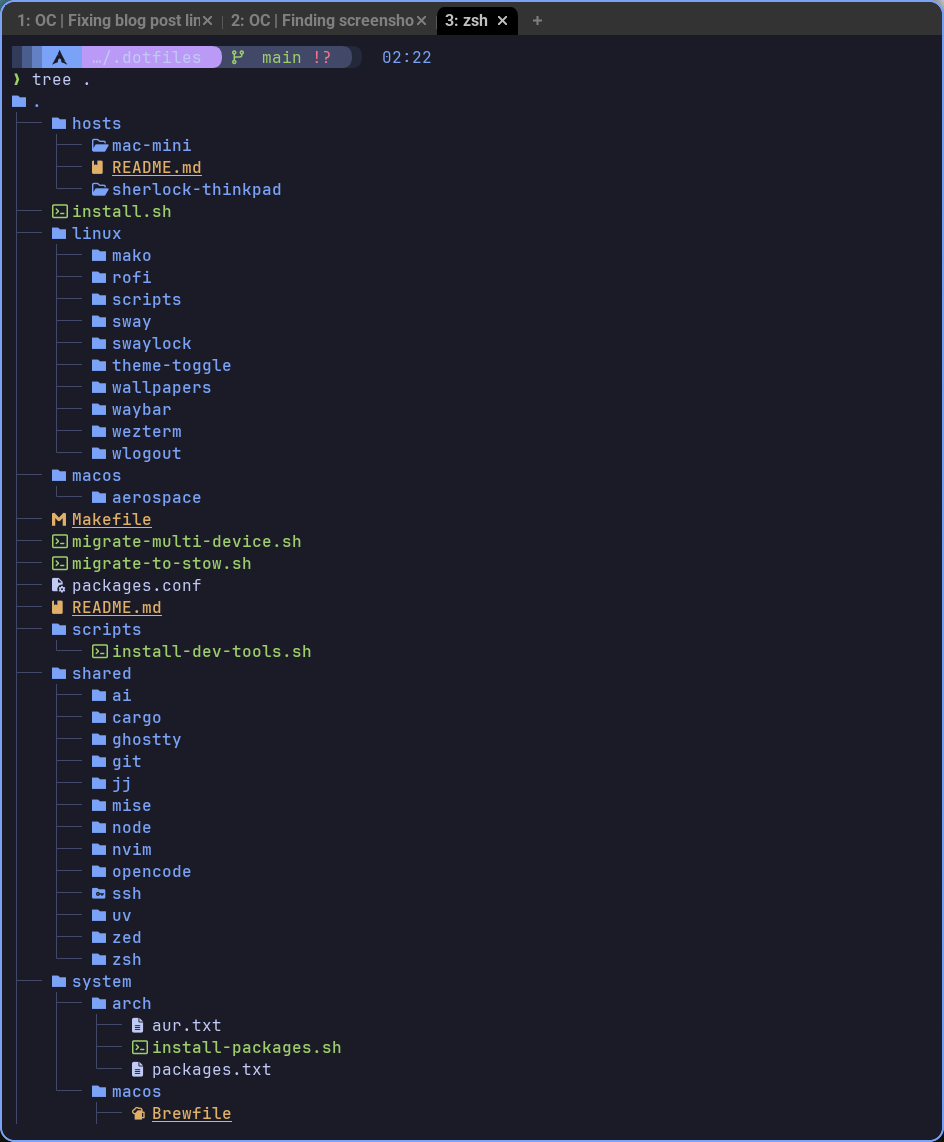
This led to probably the most important decision in the entire journey: restructuring everything to use GNU Stow. For those unfamiliar, Stow is a symlink farm manager that lets you organize your dotfiles by package and then selectively install them. I created a structure with shared configs (zsh, git, zed, claude, jj, cargo, uv, node), Linux-specific configs (sway, waybar, wezterm, rofi, mako, swaylock, wlogout, gtk), and host-specific overrides for each device.
I wrote an install.sh script that automatically detects the OS and hostname, then installs the appropriate packages. Now when I make a change on one machine, I commit it to git, pull on another machine, run the installer, and everything just works. The script handles both the dotfile symlinking and package installation through pacman/paru on Arch or Homebrew on macOS.
The restructure was painful. It took an entire weekend to migrate everything, write the migration scripts, test on multiple machines, and document the new structure. But the payoff was immediate. I could finally reason about my entire system configuration. If something broke, I knew exactly where to look. If I wanted to add a new tool, I knew exactly where it belonged.
The Theme Switching Saga
One thing that bugged me about the Tokyo Night theme was that it looked great at night but felt harsh during the day. I wanted automatic light/dark theme switching based on time of day, which sounds simple but turned out to be another adventure.
I built a custom solution using scripts that I called dark-mode and light-mode. Each script triggers a cascade of theme changes across the system: GTK settings get updated via gsettings, the gtk-3.0/settings.ini file gets sed'd to change theme names, and I even touch the WezTerm config file to trigger a reload (because WezTerm watches for file changes). The whole thing is orchestrated through scripts in ~/.local/share/dark-mode.d/ that run whenever the theme changes.
Getting WezTerm to respect the theme changes required installing xdg-desktop-portal-wlr because the Wayland desktop portal integration wasn't working correctly. This is one of those things where you spend hours debugging why your terminal won't change themes, only to discover it's missing a background service that acts as a bridge between apps and the compositor.
The Development Environment
With the base system stable and configuration management sorted, I finally had the mental space to set up my development environment properly. I installed neovim with Lazy.vim as the plugin manager, configured it for Claude Code integration, and added Supermaven for AI-assisted coding. The neovim setup alone was worth all the earlier pain because now I had a development environment that was simultaneously minimal, powerful, and completely under my control.
I set up automatic launching for Nextcloud on login (because I use my HomeLab for file sync), configured WezTerm tab cycling with sensible keybindings, and added all the little quality-of-life improvements that make a system feel like home. GNOME Keyring for credential management, screen locking that actually works, the usual stuff.
Reflections on the Journey
Looking back at the TODO list from the dotfiles repository, seeing all those completed checkboxes feels surreal. What started as a weekend project to install Linux on an unsupported laptop turned into a month-long deep dive into how modern desktop Linux actually works.
ARM being different from x86_64 wasn't just a technical hurdle; it forced me to understand the entire stack in a way I never would have otherwise. When Hyprland didn't work, I couldn't just copy someone else's setup. I had to understand why it failed, find alternatives, and make informed decisions.
What I'd Do Differently
If I started over knowing what I know now? I'd probably still skip the full desktop environments like KDE or GNOME. The learning from building piece by piece was too valuable. But I would have jumped straight to SwayFX instead of spending a week with Wayfire, and I would have set up GNU Stow from day one instead of restructuring later.
But those mistakes and rabbit holes are what made this journey valuable. Every seemingly arbitrary decision point (wofi vs rofi, yay vs paru, Wayfire vs SwayFX) forced me to understand trade-offs I wouldn't have considered otherwise.
The Current State
Today, my ThinkPad X13s runs Arch Linux ARM with SwayFX, themed in Tokyo Night with automatic light/dark switching, proper clipboard history, a fully configured development environment with neovim and Claude Code, all managed through version-controlled dotfiles that sync across my devices. It boots fast, runs stable, looks beautiful, and I understand every component.
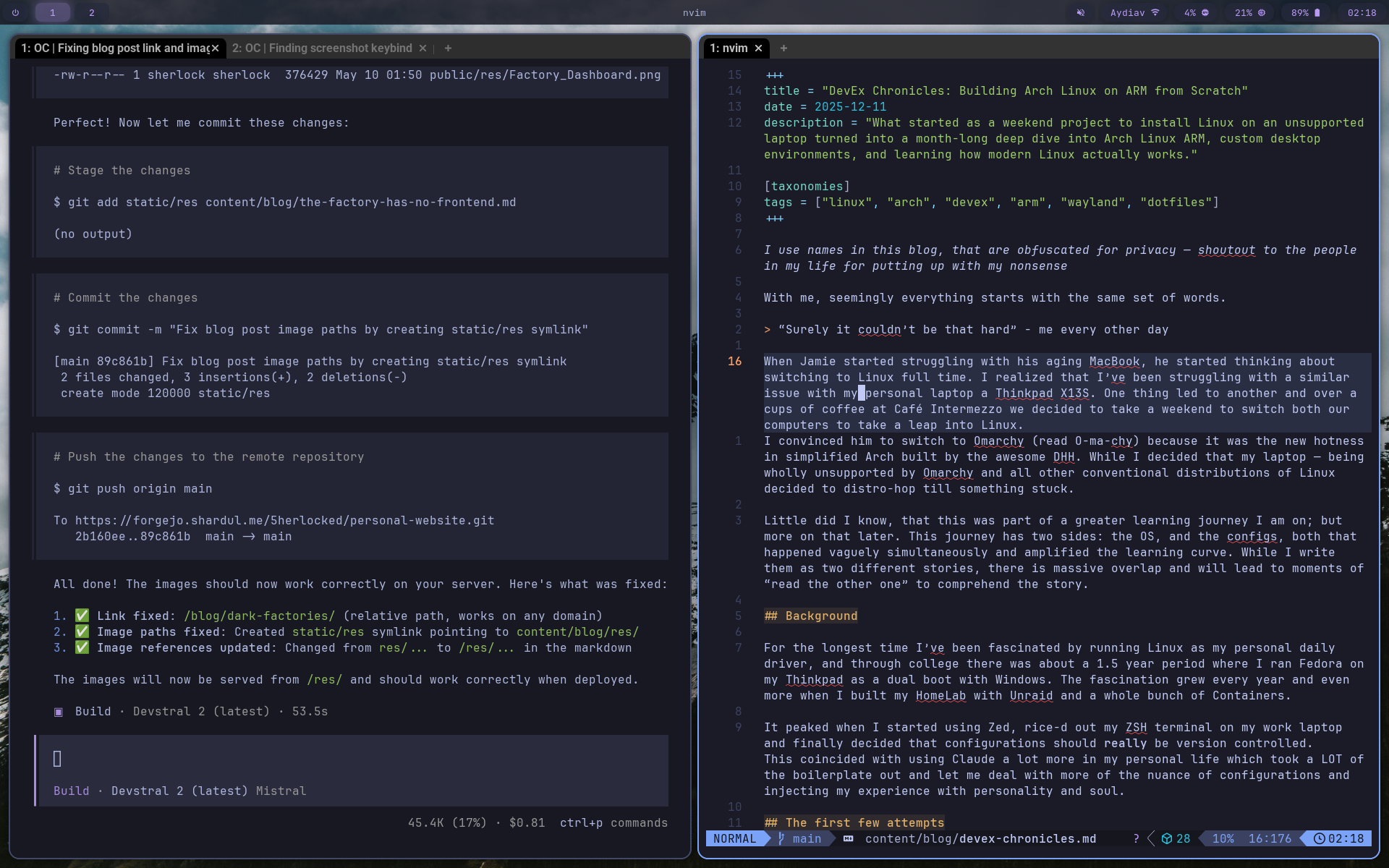
When Jamie asks me how the Linux experiment is going (he went back to macOS after two days, remember?), I tell him it's the best computing environment I've ever had. Not because it's better than macOS or Windows in some objective sense, but because it's mine. I built it, I understand it, and when something breaks (and things do break), I know how to fix it.
The DevEx chronicles aren't really about Linux versus other operating systems. They're about understanding the tools you use every day, taking ownership of your computing environment, and being willing to go down rabbit holes even when they seem irrational. Especially when they seem irrational.
Would I do it again? In a heartbeat. Would I recommend it to everyone? Not a chance. But if you're the kind of person who wonders how things work, who gets frustrated by black boxes, who wants to understand the systems you rely on, then yeah, install Arch on unsupported hardware and see what happens.
Just be prepared for it to take over your weekends. And maybe keep a backup laptop handy.
Published: December 11, 2025